Fast
Reads folders in bulk on every core. Millions of files take seconds, not minutes.
DiskSense for Mac
DiskSense scans your Mac in seconds, explains every big folder in plain English, and shows exactly what’s safe to remove — and what isn’t.
Requires macOS 26 Tahoe or later.
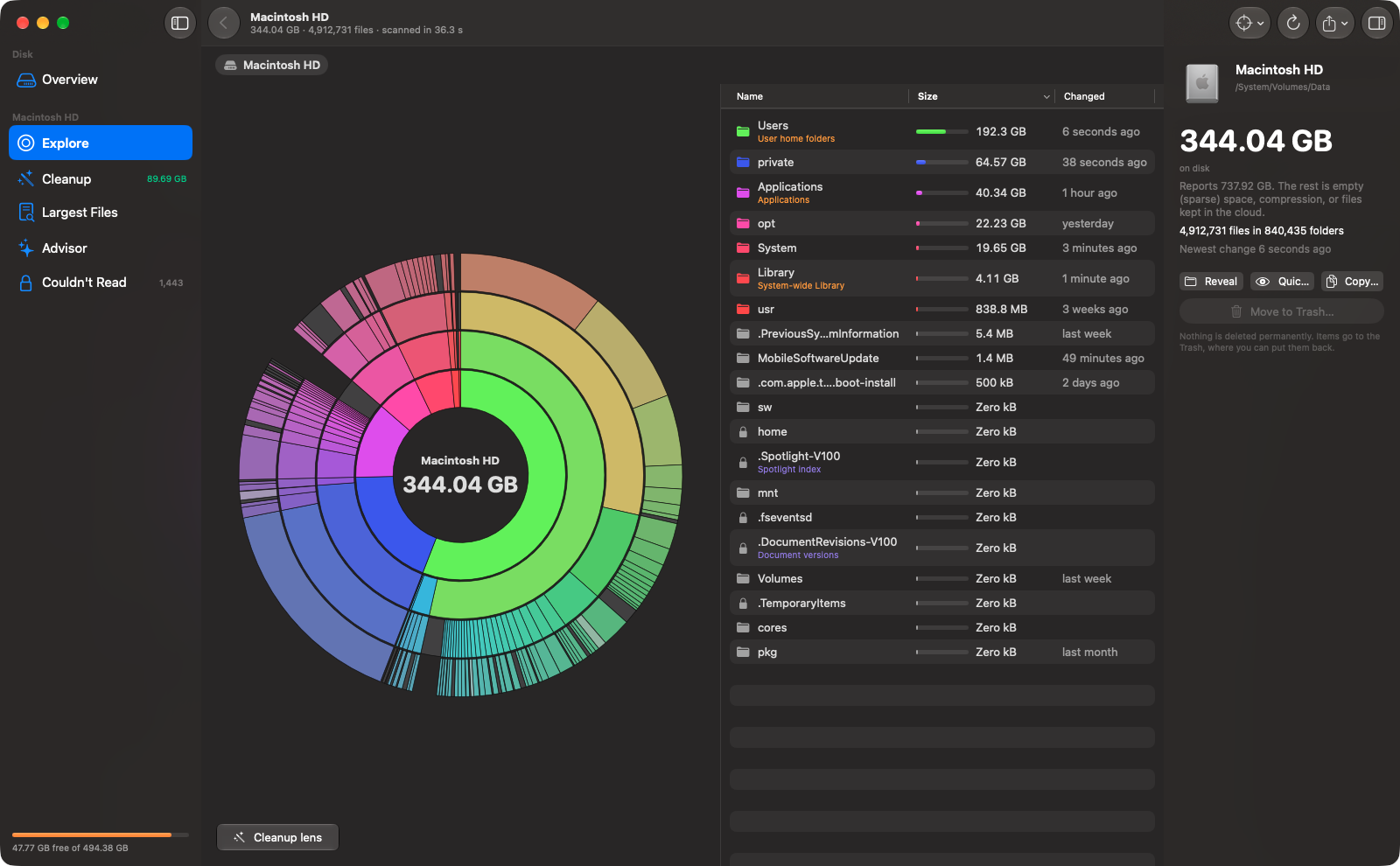
Explore
A colour ring map shows every folder in proportion. Click to dive in, click the centre to come back out. A sorted list sits right beside it, and every size is the space actually used on disk — the same number du gives you, not an estimate.
Plain English
Xcode build caches. Docker and Colima disk images. Simulator runtimes. Leftover copies of Chrome. iCloud Drive. DiskSense recognises 117 common locations and tells you what each one is, how safe it is to remove, and the right way to get the space back — including the exact command when a tool should do it for you.
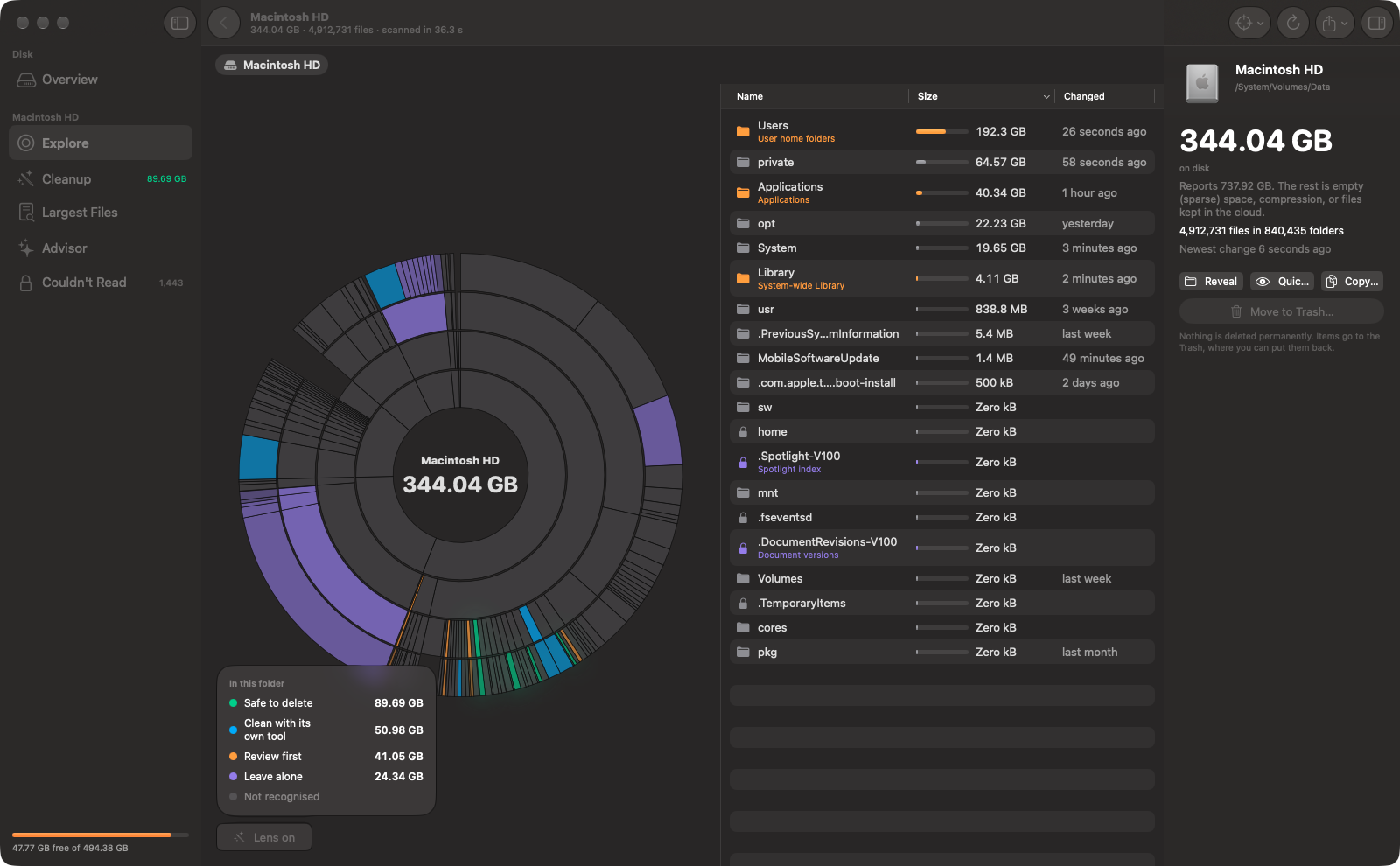
Cleanup lens
Turn on the Cleanup lens and the map recolours by safety. What you can safely remove lights up green, and a legend adds it all up for the folder you’re in.
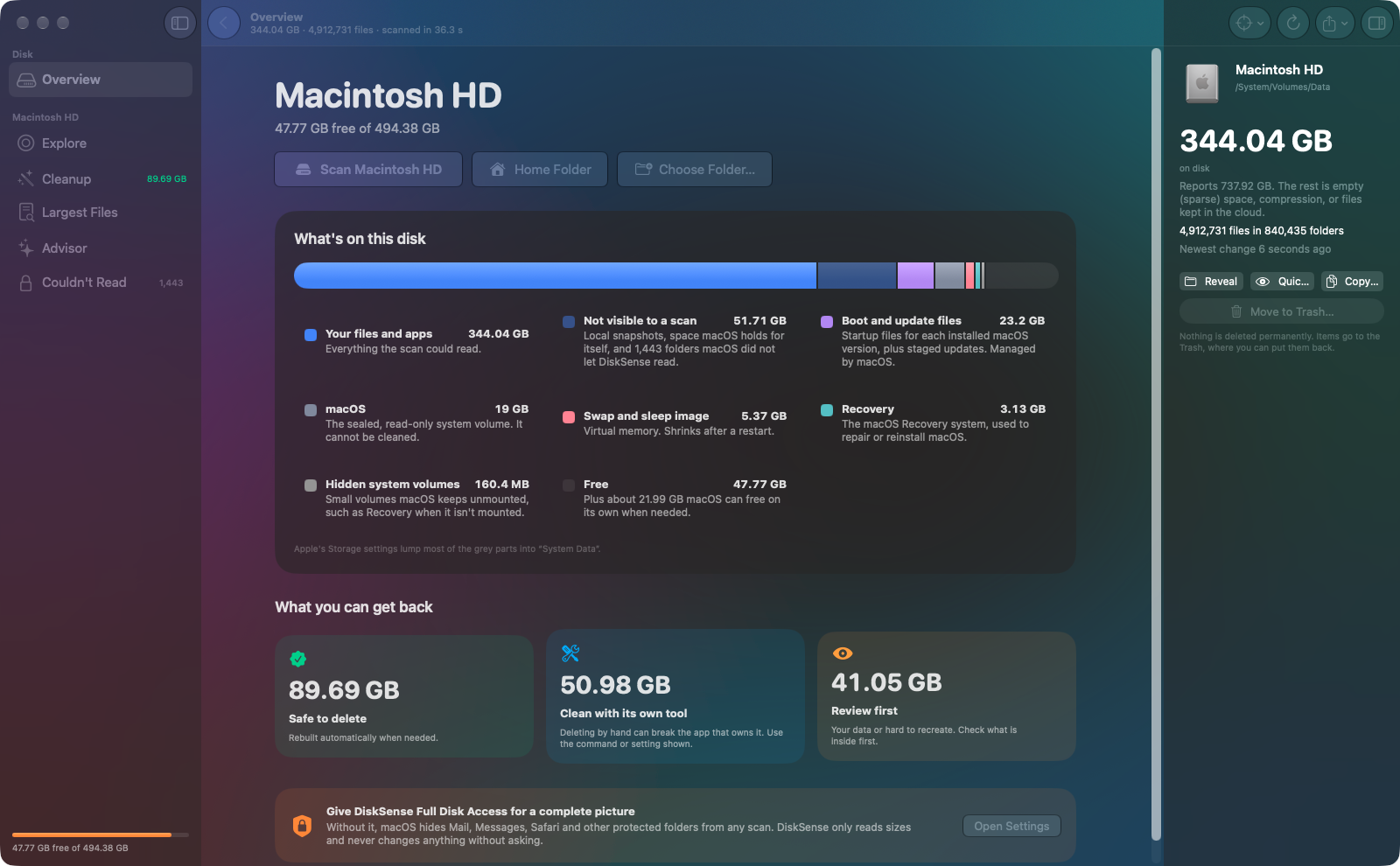
Disk overview
DiskSense splits your disk into the parts Apple’s Storage settings hide: macOS itself, boot and update files, swap, Recovery, your files and apps — and the space no scan can see, with the reason why.
Advisor
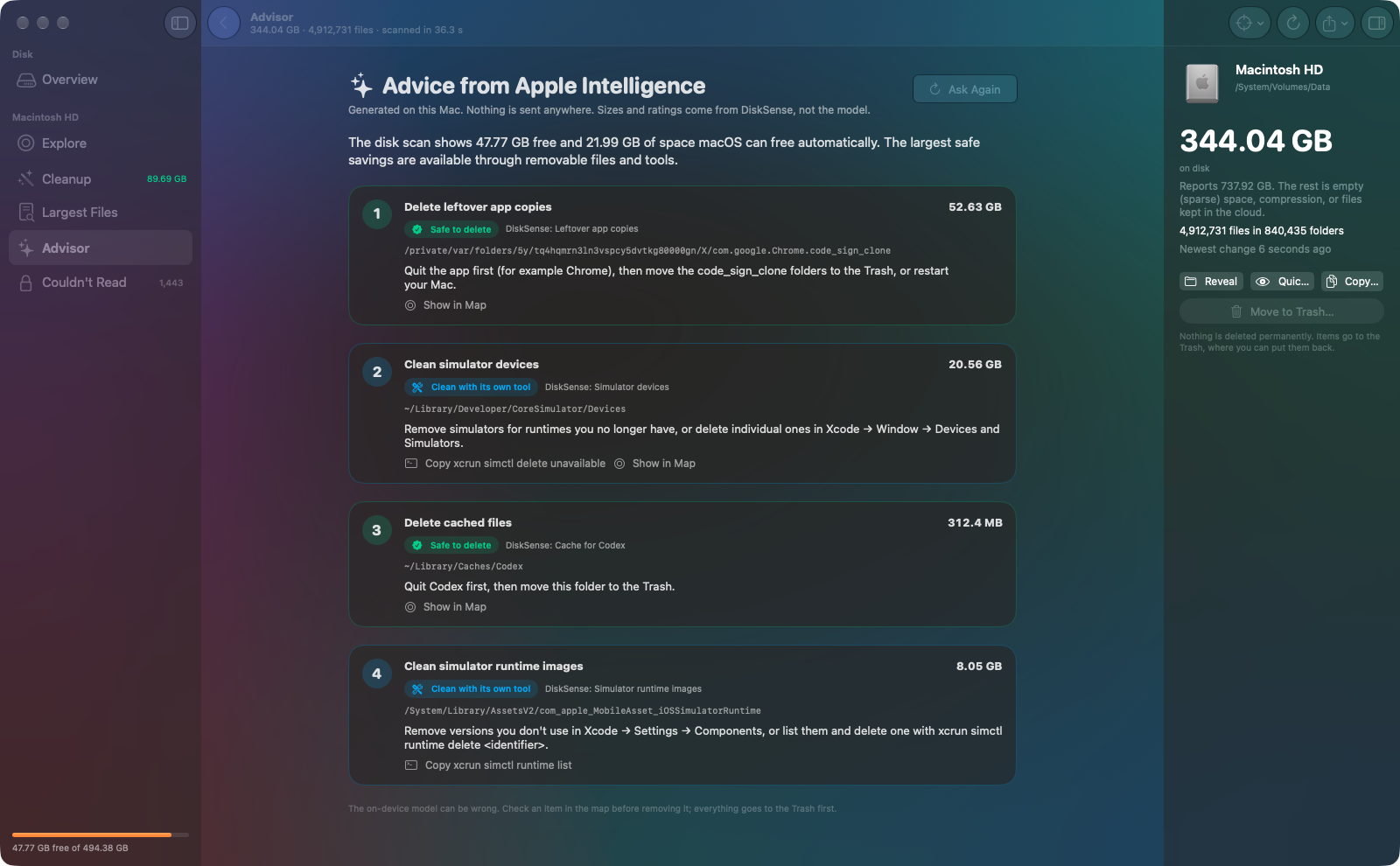
After each scan, DiskSense asks the on-device model what to clean up first. Every suggestion is checked against your actual scan: sizes, safety ratings and instructions always come from DiskSense, and it will never suggest removing something that should be left alone. Nothing is sent anywhere.
Reads folders in bulk on every core. Millions of files take seconds, not minutes.
Counts hard links once and flags APFS clones, sparse files and iCloud-only files, so you know what removing them would really free.
Scanning won’t make iCloud Drive, Dropbox or other cloud drives download anything.
Everything goes to the Trash first, and anything macOS or a sync service manages can’t be removed at all.
“Scan my Mac with DiskSense.” “How much space can DiskSense free?” Built right in.
Copy a compact report of your scan to paste into Claude, ChatGPT or Codex for a second opinion — or save it as Markdown or JSON.
No accounts, no analytics, no tracking. DiskSense reads sizes on your Mac and keeps everything there. Read the privacy policy
Want to try it early? Email us and we’ll let you know.
Requires macOS 26 Tahoe or later, on Apple silicon or Intel. The Advisor requires a Mac with Apple Intelligence turned on.
*Measured scanning about 5.2 million files on a MacBook Pro with M1 Max.